
Hey readers!! Its been a long time since we have posted something. This is the time of the year where all schools start after a long break. So its been a hectic week and now I am free again to post in the site. Being able to access the files on your PC or Mac from your smartphone is ultra convenient, as you likely store significantly more files and data on your computer, than you do your phone.
In today’s post, we will review how you can actually gain full access to your PC or Mac, including being able to access files, run applications and more, directly from a smartphone or tablet.
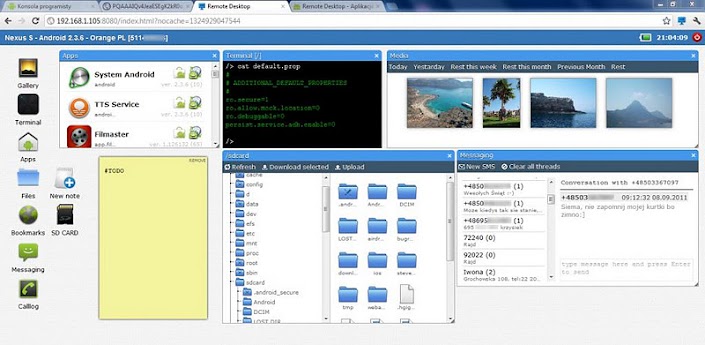
Download : Remote Desktop by Kolakowski Damian

Download: Team Viewer Free Edition
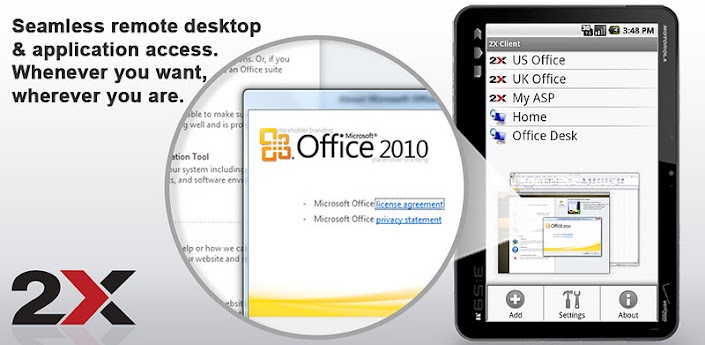
Download: 2x Client RDP/Remote Desktop

Download: LogMeIn

Download: RDM Desktop Lite
We mentioned the paid, professional version of Pocket Cloud above, for Android smartphones. However, the company also supports the iPhone/iPad/iPod platform via their PocketCloud Remote Desktop Free Edition. Available on Android also, PocketCloud is one of the more popular apps that offers great compatibility for more platforms.

Download: PocketCloud Remote Desktop
Hope you liked your post. Do feel free to comment our opinions in the comment section.
In today’s post, we will review how you can actually gain full access to your PC or Mac, including being able to access files, run applications and more, directly from a smartphone or tablet.
For Android Tablets and Smartphones:-
Remote Desktop by Kolakowski Damian
This free remote desktop app works by pairing your smartphone with your computer via web browser (Chrome or Firefox). Its unique interface also allows for smoother, more responsive navigation from a smartphone or tablet.Team Viewer Free Edition (Free)
Team Viewer Free Edition is one of the more popular remote desktop apps in Google Play. Using the Team Viewer exclusive client interface, you simply download the app to your device, download the app to your computer, and you’re set to go.
2x Client RDP/Remote Desktop
With plenty of features available in a free app, 2x Client RDP might be a great remote desktop choice. Unique built-in optimizers and controls make the remote desktop connection auto optimize view for smartphones and tablets. Need to edit Word documents on the go, but forgot to add them to Dropbox? The responsive application views for this app make even editing files simple.For IOS Tablets and Smartphones
LogMeIn
With a LogMeIn account, the free app, and the desktop app, you can control your Mac or PC from your iPhone, iPod or iPad seamlessly. With full computer access and LogMeIn’s exclusive controls, you can edit Mac or Windows documents simply, even while on the go from a smartphone.RDM Desktop Lite
If simplicity is the key, you may want to consider using the RDM Desktop Lite app to access your Mac or PC from an iDevice. Including just enough features to get the job done, but not too many that the app is overwhelming, RDM Desktop simply works.Download: RDM Desktop Lite
PocketCloud Remote Desktop
We mentioned the paid, professional version of Pocket Cloud above, for Android smartphones. However, the company also supports the iPhone/iPad/iPod platform via their PocketCloud Remote Desktop Free Edition. Available on Android also, PocketCloud is one of the more popular apps that offers great compatibility for more platforms.Download: PocketCloud Remote Desktop
Hope you liked your post. Do feel free to comment our opinions in the comment section.
0 comments:
Post a Comment
Your comments are always appreciated.
Note:
1. Please do not include links in comments or it will be removed later.
2. Please do not spam because they will be deleted immediately upon our notice.
Regards,
The Sneeze